
Know what is dueRecurring requirements and document requests are coordinated through a consistent monthly rhythm.
















How to Register a Business with BIR Online (ORUS) in 2026
Home / BGB Insights / BGB Articles
BGB Articles · Business Registration
How to Register a Business with BIR Online (ORUS) in 2026
A step-by-step guide to the BIR’s Online Registration and Update System—what to prepare, what to pay, and what to do after you receive your eCOR.
Quick answer
Register with the BIR on or before you start your business. Go to the BIR’s Online Registration and Update System (ORUS) at orus.bir.gov.ph, create an account with the taxpayer’s official email, choose New Registration (Individual = BIR Form 1901, Non-Individual = BIR Form 1903), fill in the form, and upload your documents. Then pay the ₱30 loose documentary stamp tax and download your electronic Certificate of Registration (eCOR). The ₱500 Annual Registration Fee no longer applies: the BIR stopped collecting it on January 22, 2024 under the Ease of Paying Taxes Act (RA 11976). After that, register your books of accounts, set up your invoices, and file your returns on time, even in months with zero sales.
ORUS saves you a trip to the RDO, but mistakes in your email, address, line of business, or tax types can still delay approval or cause problems months later. This guide follows the order you’ll actually go through: when to register, what to prepare, the ORUS steps, what you pay, and what to do after.
Basic terms, in plain language
- TIN: your Taxpayer Identification Number. Each person or company gets only one.
- RDO: the Revenue District Office, the BIR office in charge of your business address.
- COR / eCOR: the Certificate of Registration, the BIR document that lists your registered tax types. The eCOR is the electronic version from ORUS.
- Tax types: the taxes you must file, such as income tax, percentage tax or VAT, and withholding taxes once you pay employees or certain suppliers.
- Books of accounts: the journals and ledgers where you record every sale and expense. They must be registered with the BIR.
- Invoice: under the EOPT Act, the invoice is the main document you issue for each sale of goods or services.
Step 1. Know your registration deadline
The Tax Code, as amended by RA 11976, says business taxpayers register on or before the commencement of business. According to BIR RMC No. 91-2024, your business is considered started on the earlier of these two dates:
- Your first sale, or
- 30 calendar days after your Mayor’s Permit (or PTR/OTR), DTI Certificate of Business Name Registration, or SEC Certificate of Registration was issued.
Registering after that date counts as a violation. Plan your BIR registration right after your DTI/SEC and LGU documents come out.
Step 2. Prepare before you open ORUS
- Register your business name or entity first. Sole proprietors register a business name with the DTI. Corporations, partnerships, and One Person Corporations register with the SEC.
- Coordinate your local permits. Your city or municipality handles the barangay clearance and the Mayor’s/Business Permit. Requirements and sequencing vary per LGU.
- Use one TIN only. If you already have a TIN (for example, from a previous job), use it. Having more than one TIN is not allowed.
- Prepare an official email address. Corporations should use a permanent official company email, not a representative’s personal address.
- List your online store names. If you sell online, declare your store or page names. They appear as business names on your COR (RMC No. 91-2024).
Step 3. Register in ORUS
- Create and verify your ORUS account. Open ORUS from the BIR website and create an account, with or without an existing TIN. Click the verification link in the BIR email within 24 hours, or it expires.
- Choose your classification. Select Individual (self-employed, professionals, mixed-income earners; the online version of BIR Form 1901) or Non-Individual (corporations, partnerships, OPCs; the online version of BIR Form 1903).
- Complete the registration tabs. Fill in Taxpayer Information, Authorized Representative Details, and Business Address. Under Business Information, choose the correct industry and PSIC code (professionals also enter a PSOC code) and describe your line of business accurately.
- Select your tax types carefully. Typical tax types are income tax, percentage tax or VAT, and the applicable withholding taxes. Eligible individuals may also choose the 8% income tax option. If you’re unsure, ask a CPA before you submit.
- Upload your documents. Upload clear scanned copies (see the checklist below). Individuals applying online also upload a selfie of the applicant (or authorized representative) holding the same ID — required by the BIR Citizen’s Charter 2025 for individual ORUS applications, not for corporations.
- Wait for RDO review. The RDO reviews your application online. The BIR’s standard is about 3 working days (Citizen’s Charter 2025; RMC No. 38-2026). They may ask for corrections or more documents by email.
- Pay and download your eCOR. Pay the ₱30 DST through the online payment channel linked in ORUS, then download and print your eCOR. If you chose to print your own invoices through an accredited printer, you also get an Authority to Print (ATP) in ORUS. If you chose BIR-printed invoices instead, those are sold at the RDO’s New Business Registrant Counter.
If ORUS shows an error, you may file manually at the RDO with proof of the error, such as a screenshot. No proof is needed if the BIR has announced that ORUS is down (RMC No. 91-2024).
Step 4. Common documentary requirements
Official ORUS checklist (BIR Citizen’s Charter 2025):
| Individual / sole proprietor | Corporation / partnership / OPC |
|---|---|
| Government-issued ID showing name, address, and birthdate (or ID plus proof of address if the ID shows none); selfie of the applicant (or authorized representative) holding the same ID; DTI Certificate of Business Name Registration if using a trade name; PRC ID for regulated professionals; sample of own invoices or BIR-printed invoices; SPA plus IDs if a representative files; other papers only if they apply (franchise, BMBE, BOI/PEZA, 9(g) visa for foreigners) | SEC Certificate of Incorporation/Registration (or CDA/DOLE equivalent); Articles of Incorporation/Partnership; sample invoice or BIR-printed invoices; board resolution or Secretary’s Certificate plus IDs for a representative; other papers only if they apply (franchise, JV, BMBE, BOI/PEZA) |
Your RDO or LGU may also ask for a Mayor’s/Business Permit or proof of application, a lease or title as proof of business address, By-Laws, or proof of documentary stamp tax on original share issuance. Follow the checklist shown in ORUS for your application.
Step 5. Know what you pay the BIR
| Item | Status in 2026 | Basis |
|---|---|---|
| ₱500 Annual Registration Fee (BIR Form 0605) | No longer collected since January 22, 2024, for both new registrants and existing businesses. Old CORs that still show “Registration Fee” remain valid and don’t need to be replaced. | RA 11976 (EOPT Act); BIR RMC No. 14-2024; RMC No. 91-2024 (Q9–Q10); RR No. 11-2024 |
| Loose documentary stamp tax (DST) | ₱30, paid in ORUS before you download the eCOR | BIR / ORUS guidance; Philippine Business Hub FAQ |
Note: parts of the older ORUS FAQ page still mention the ₱500 fee. That text predates the EOPT Act. The BIR’s later circulars above control, but always pay only the amount ORUS shows at checkout.
BGB indicative range
DTI business name registration assistance: ₱3,500–₱6,500.
Sole proprietorship full registration: ₱17,500–₱27,500.
Corporation full registration: ₱27,500–₱60,000.
These are BGB professional fees, separate from the BIR amounts above. Government fees and third-party costs are separate, and final fees are confirmed after scoping. Request a registration scope.
Step 6. After you receive your eCOR
- Display your COR where the public can clearly see it at your place of business and at each branch.
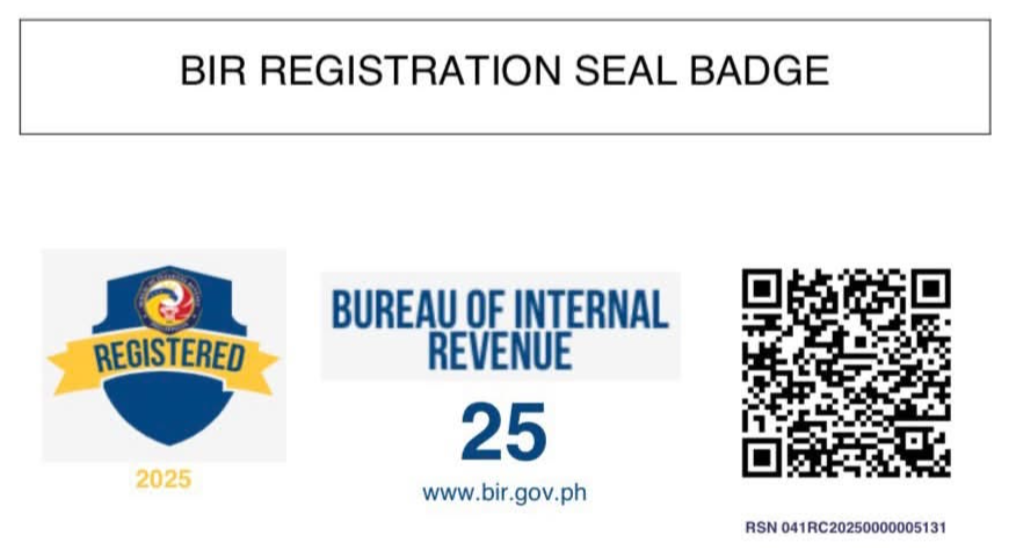
- Selling online? Post your proof of registration online. Under RMC No. 38-2026, the BIR issues a free Registration Seal Badge (manually or through ORUS) to post on your website, online store, social media business page, or e-commerce profile in place of the full COR. Crop and post only the badge, not the whole COR, so your TIN and address stay private.
- Register your books of accounts through ORUS. ORUS generates a QR Code Stamp as your proof of registration. New registrants with manual books must register them before the deadline of the first quarterly or annual income tax return, whichever comes first (RMC No. 91-2024). We recommend registering right away.
- Set up your invoices. Choose the ATP route (accredited printer) to stay online through ORUS, or buy BIR-printed invoices at the RDO’s New Business Registrant Counter.
- File on time, even with zero sales. Your filing obligations start at registration. Skipping returns because “there were no sales yet” is one of the most common and costly mistakes we see.
Step 7. Avoid common mistakes that delay approval
- Using a representative’s or personal email for a corporation’s ORUS account.
- Registering under the wrong RDO or an address that does not match your permits.
- Choosing a PSIC code or line of business that does not match your DTI/SEC registration.
- Missing tax types, especially withholding taxes once you hire employees.
- Uploading blurry or incomplete documents, which leads the RDO to ask for resubmission.
When to get help
Talk to a CPA if you are not sure about your tax types (VAT vs. percentage tax, 8% option), if you already passed the 30-day window, if you have more than one TIN or an old RDO registration, or if you are registering a corporation with several branches.
How BGB helps with Business Registration & Licensing
BGB coordinates your DTI or SEC, BIR, LGU, and employer registrations in the right order. We then help you move into monthly bookkeeping and tax compliance so your business starts on solid ground.
Frequently Asked Questions
Can I register my business with the BIR completely online?
Yes, in most cases. A new business can apply, upload documents, pay the ₱30 documentary stamp tax, and download its electronic Certificate of Registration (eCOR) entirely in ORUS, without visiting the RDO. The RDO still reviews your application online (the BIR’s standard is about 3 working days) and may ask for corrections or more documents. You may need to deal with the RDO directly if you choose BIR-printed invoices, if your existing TIN is registered with a different RDO or has no updated email on file, if you open branches, or if ORUS has a technical error.
Do I still pay the ₱500 Annual Registration Fee?
No. The BIR stopped collecting the ₱500 Annual Registration Fee on January 22, 2024, for new and existing businesses, under the Ease of Paying Taxes Act (RA 11976) and RMC No. 14-2024. New registrants still pay the ₱30 loose documentary stamp tax. Pay only the amount ORUS shows.
When must I register with the BIR?
On or before you start your business. Under RMC No. 91-2024, that means your first sale or 30 calendar days after your Mayor’s Permit, DTI certificate, or SEC certificate was issued, whichever comes first.
I already have a TIN from employment. Do I need a new one?
No. Use your existing TIN, because having more than one TIN is prohibited. Make sure your email address is updated with your RDO so you can create an ORUS account with that TIN. If your TIN is registered under your employer’s RDO, the BIR may require you to transfer it to the RDO of your business address first, and that may need dealing with the RDO directly (RMC No. 91-2024 Q13).
Which RDO should I register with?
Generally, the RDO in charge of your business address. Professionals go to the RDO of their residence unless they have a physical business address. Online sellers, vloggers, and peddlers with no physical address also go to the RDO of their residence (BIR Citizen’s Charter 2025). An address that doesn’t match your permits or lease is a common cause of delays.
Do I still need a Mayor’s Permit if I register with the BIR online?
Yes. BIR registration does not replace barangay and LGU permits. Requirements and timing vary per city or municipality, so coordinate both.
Official sources & references
- Republic Act No. 11976, Ease of Paying Taxes Act (January 5, 2024). Sec. 34 amends NIRC Sec. 236 on registration (“on or before the commencement of business”). Text: lawphil.net; Official Gazette: officialgazette.gov.ph
- BIR RMC No. 14-2024 (January 24, 2024): Payment of Annual Registration Fee Pursuant to Republic Act No. 11976. The BIR stopped collecting the ₱500 ARF effective January 22, 2024. bir.gov.ph PDF
- BIR RMC No. 91-2024 (August 14, 2024): Clarification on Registration Procedures Pursuant to RR No. 7-2024, as amended by RR No. 11-2024. Covers when to register, ORUS fallback, posting the COR, online store names, ARF Q&A, and books registration. bir.gov.ph PDF
- BIR RR No. 7-2024, as amended by RR No. 11-2024: EOPT rules on registration and invoicing. Old CORs showing the Registration Fee remain valid. RR 11-2024 (bir.gov.ph PDF)
- BIR RMC No. 38-2026 (April 24, 2026): Issuance and Posting of the BIR Registration Seal Badge on Online Websites, E-Commerce or E-Marketplace Seller/Merchant’s Page and Other Platforms, and the QR Code in the BIR COR. Available at bir.gov.ph (Revenue Memorandum Circulars, 2026).
- BIR ORUS: orus.bir.gov.ph and FAQs at orus.bir.gov.ph/faqs. Parts of the FAQ still mention the ₱500 ARF and predate RA 11976; the circulars above control.
- Philippine Business Hub FAQ (BIR registration fee: ₱30 DST, no ₱500 ARF): business.gov.ph
- SEC: sec.gov.ph · DTI Business Name Registration: bnrs.dti.gov.ph
Articles and summaries are for general information only and are not a substitute for advice based on a taxpayer’s specific facts. Official BIR issuances and current regulations should always be verified before reliance.
Last updated: October 28, 2026 (checked against RA 11976, RMC Nos. 14-2024, 91-2024 and 38-2026, and the BIR Citizen’s Charter 2025)
Connect with BGB
Your Growth. Our Stewardship.
Tell us about your business and what you need to get done. BGB will review your situation and propose a clear, scope-based engagement—with integrity, stewardship, and partnership.
